
Why this is different from ChatGPT-style chat
ChatGPT and Gemini answer questions and carry conversation well. Shared ChatGPT projects and Gemini Gems / shared workflows help teams share AI context, instructions, and reference material—the right layer when you need better shared prompts and content.
Enterprise AI suites (e.g. ChatGPT Enterprise, Microsoft Copilot, org-wide assistants) add breadth: broad access, drafting at volume, connectors, and admin patterns for general use. They are the right layer when no single case needs a held record across reopenings and reviews.
Situ8 handles a different job: one governed professional case—the same recurring high-stakes situation over time—with structured intake, review before analysis, explicit unknowns, and revisitable case memory so rationale and framing survive reopenings and reviews. It is not “better AI” or a smarter model; it is a narrow case-handling workflow when the issue is not over after one reply and scrollback is not your system of record. In-app shared handoffs for teams are roadmap; solo Android ships today—see For teams and For enterprise.
One case per situation
Narrative, intake, and results stay attached to one situation—reducing reconstruction pain versus new threads and scrollback.
Structure before analysis
Intake and review run first—so you fix framing and missing constraints before the run, not only the next reply.
Revisitable case memory
Reopen the same case as facts change—supporting iteration and clearer next moves instead of decision drift across disconnected chats.
Use shared chat, shared AI projects, and your enterprise suite when broad access and generation are enough. Use Situ8 when one recurring case needs governed framing, evidence-shaped next steps, and preserved rationale—not another company-wide thread. For teams → · For enterprise →
Hold the case
Outcome: Less reconstruction pain—you stop restating the whole story every time the situation resurfaces.
Situ8 keeps one situation in one case so your story and state live together—not as fragments across threads and notes.
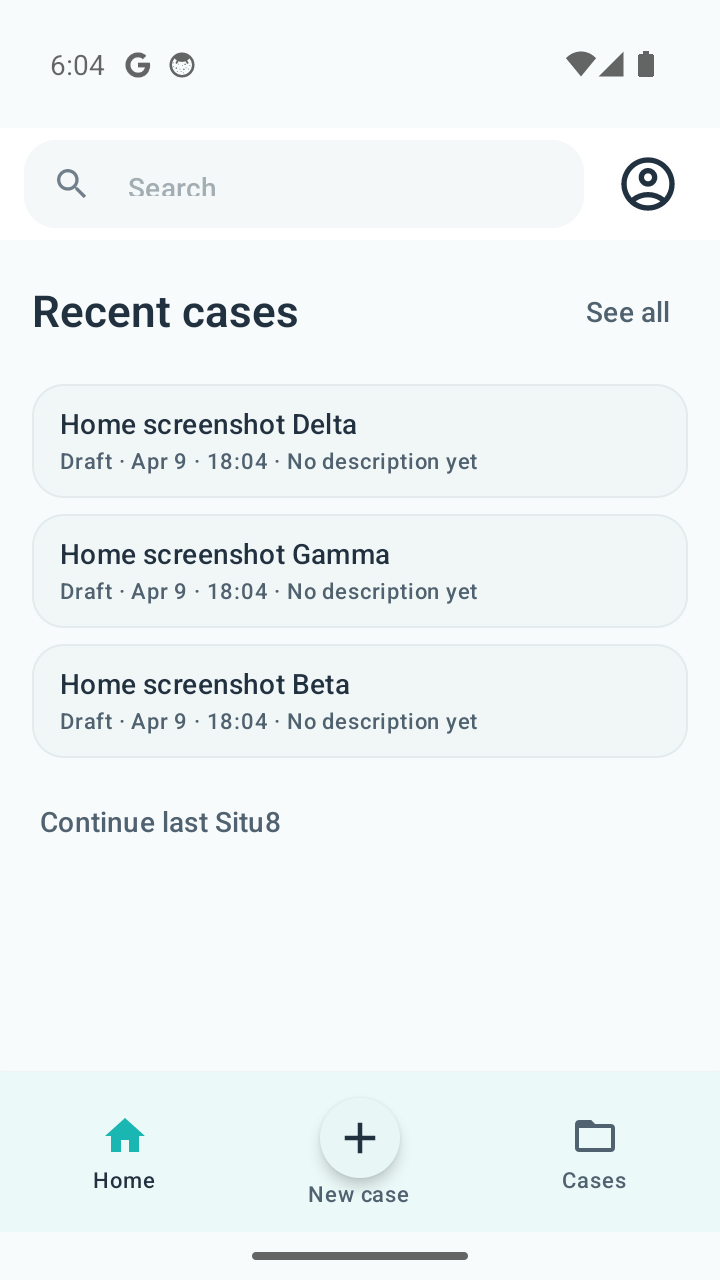
Start here—one case per situation.
Cases
Name and maintain a thread of work per situation you care about.
Saved work / case memory
Pause and return without rebuilding the narrative from scratch.
Return later
When the situation shifts, you update the same case—not a new empty chat.
In practice: You reopen the case Friday with the same grounding you had Monday—then adjust what changed.
Ground the analysis
Outcome: Less framing pain—the model works from an explicit situation, not a guess from a one-line prompt.
Structured steps reduce the odds that analysis runs on missing or fuzzy context—without pretending the app “knows” your world.
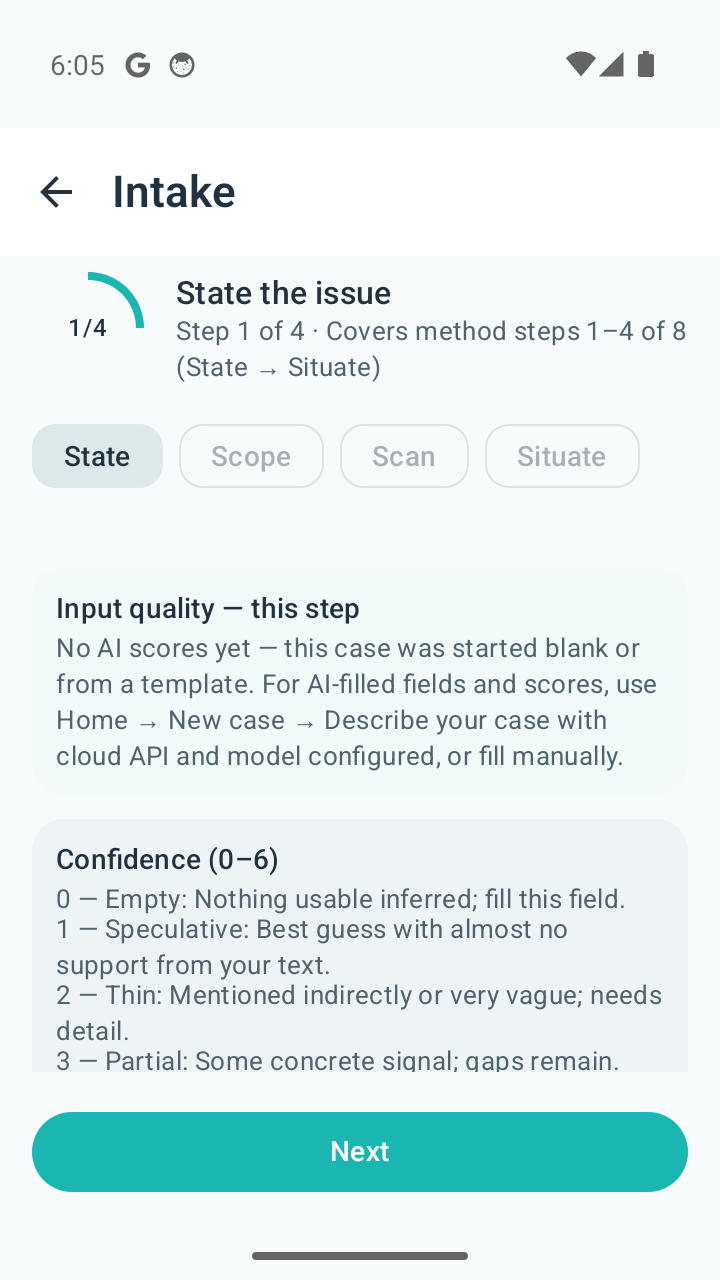
Structure the situation before analysis runs.
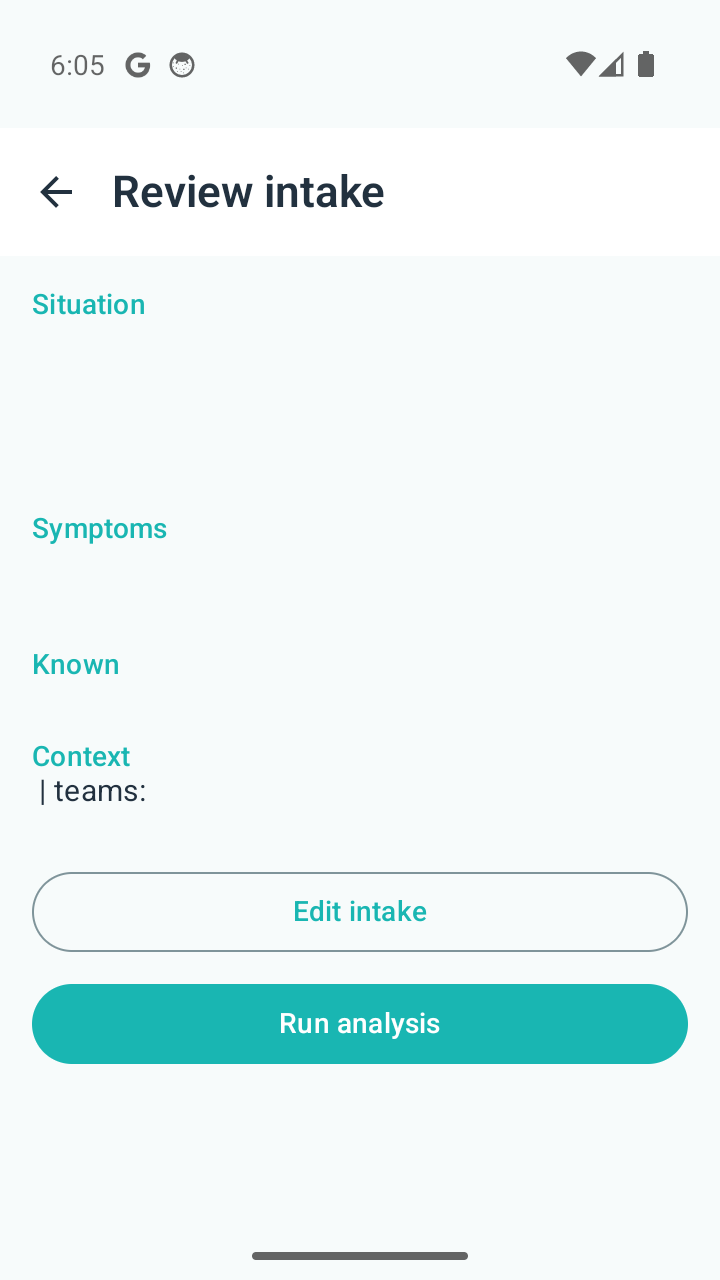
Confirm what will be sent—then run deliberately.
Guided intake
Prompts and fields surface what matters before you run analysis.
Review before analysis
You confirm what will be sent—so “analyze” is a deliberate step.
Templates when useful
Faster setup when a template fits; no claim that one template fits every situation.
In practice: You catch a missing constraint before you burn time on the wrong analysis.
Work the next move
Outcome: Less decision drift—outputs support a next move you still own, with history on the same case—the app does not decide for you.
The results workspace is where you read, copy, and iterate against the same case thread.
Analysis and results workspace
Structured readouts live with the case, not as a detached reply bubble.
Prompts and follow-ups
Follow-ups tied to the case you framed—e.g. summarize, next-step bullets, tighten wording—not a blank thread for generic tasks.
Copy, iterate, reopen
Take text out when you need it; come back when the situation moves.
In practice: You leave with a clearer next move you can defend—not a verdict from the model.
Trust and control
Outcome: You know how connection works and where judgment sits.
Provider configuration is visible and user-driven; it is not the emotional headline of the product, but it matters for serious use.
- User-controlled provider settings when you choose to connect an AI provider.
- Keys and connection are handled on device as described in Privacy and Contact.
- Judgment stays with you—including for medical, legal, emergency, regulated, and safety-critical contexts where licensed expertise belongs elsewhere.
Full posture: **[Trust](trust.html)** · **[Privacy](privacy.html)** · **[Contact](contact.html)**
Best fit today
The shipped workflow is solo—still useful when your job is to frame before you align others. Strongest fit: managers, founders, operators, consultants, facilitators, and individual professionals working high-context, ambiguous, or recurring situations at work.
Managers and team leads
Hold one legible story before you steer a group—on your phone, on your own case thread.
Founders and operators
Keep strategy–execution narrative in one place while you stress-test framing between meetings.
Consultants and facilitators
Repeatable solo intake and results tied to a client situation between sessions.
Individual professionals
Ambiguous mandates and time-bound calls get a structured thread—not only endless chat.
Not part of the shipped product today
This is the explicit scope line—calm, not defensive.
- Shared team workspaces and collaboration inside one case for multiple people.
- Enterprise admin, SSO, and org-wide governance controls.
- Mature procurement-style enterprise packaging you can buy off a matrix on this site.
Those directions belong on Roadmap and in pilot conversations via Contact—not as “available now.”
How the shipped workflow maps to the method
Situ8’s eight-step method (State through Study) is the spine of how we structure professional case work in the product—but it does not need to be the first thing you memorize to use the app.
In brief: intake and case work cover the early steps; analysis and results support shaping and selecting moves; what you do in the real world completes the loop. The full stage-by-stage breakdown is on How it works.
For access and pricing framing, see Access & pricing.
Self-serve
Confirm what ships solo today and whether the case pattern fits you.
Team interest
Shared case handling (roadmap), trust posture, pilots—not enterprise packaging today.
Read the team storyDiscuss a named workflow pilotRead the roadmapReview trust & reporting