When the work is a case—not a prompt
Situ8 is for recurring high-stakes situations where you need a governed thread you can reopen—not a fresh conversation every time.
- Structured intake and review for cases that reopen—not a one-off chat thread.
- Explicit unknowns and rationale so judgment stays visible when you revisit.
- Solo Android today; shared cases and enterprise-style controls on the roadmap.
What Situ8 Enterprise is—and is not
What it is
- A case-handling discipline for named recurring workflows—escalations, exceptions, cross-functional reviews.
- Structured intake and review before analysis so the group does not skip framing under pressure.
- A path toward shared case continuity and stronger oversight as team and enterprise surfaces ship—see For enterprise.
What it is not
- Not enterprise AI for every team or a company-wide knowledge assistant.
- Not company-wide file Q&A or generic knowledge management.
- Not a replacement for ServiceNow, Jira, Salesforce, Confluence, Slack, or your AI suite—it sits beside them for the case shape those tools do not hold.
When to use Situ8 Enterprise
The app today is solo Android. The list below is when the case pattern fits your work; shared cases in-app are roadmap—see For teams and For enterprise.
- Customer or partner escalations that reopen across reviews.
- Delivery or implementation blockers with shifting facts and owners.
- Policy, commercial, or risk exceptions that need a stable narrative.
- Review or approval workflows where decision context must persist.
- Any pattern where “what we decided and why” is as important as the next action.
Enterprise narrative, boundaries vs suites, and FAQ: For enterprise.
When broad AI is enough—and when it is not
ChatGPT Enterprise, Google Gemini, Microsoft Copilot, and similar rollouts are the right layer for broad access, drafting, and shared knowledge. Shared ChatGPT projects and Gemini Gems help teams share AI context and reference material—that is the right layer for content and fast back-and-forth in chat.
Situ8 addresses a different failure mode: recurring high-stakes cases where facts change, evidence lives in more than one system, rationale must be visible in the next review, and weak handoffs create risk. In those situations, you need one governed case record—not another company-wide chat surface.
The same issue keeps resurfacing
Meetings reopen the escalation; without a held case, someone re-explains the story from scratch every time.
Context scatters across channels
Docs, DMs, and threads each hold a slice—the situation fragments, and each new owner rebuilds the story from partial context.
Unclear ownership and drifting assumptions
The issue sits between roles; what the group “knows” shifts without explicit unknowns or a shared next move.
Solutions before framing
Under pressure, the group jumps to fixes before the situation, constraints, and evidence gaps are aligned.
The four-stage case loop
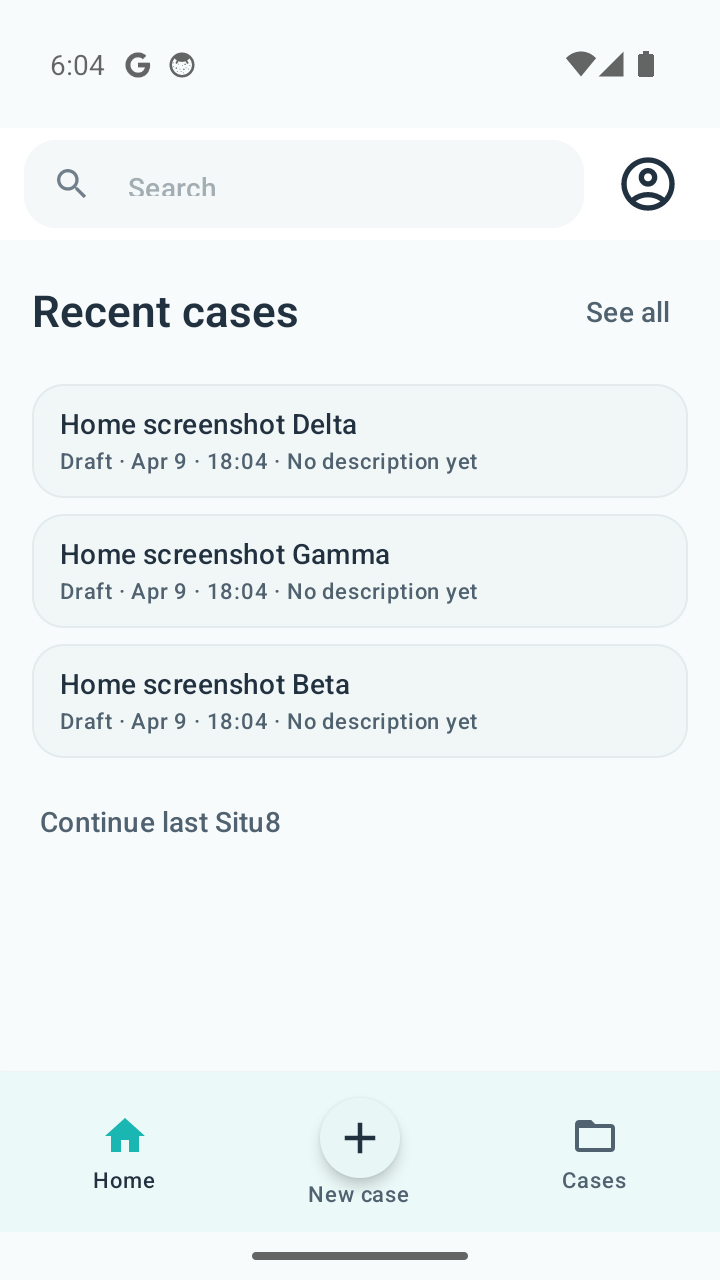
The public workflow model for governed case handling: four stages you repeat as the situation evolves—solo Android today. Full walkthrough →
Shared multi-user case surfaces and org admin are not in the store build yet; the solo loop trains the pattern.
Stage 1
Start a case
Hold one situation in one place—one case thread instead of scattering across disposable chats.
Stage 2
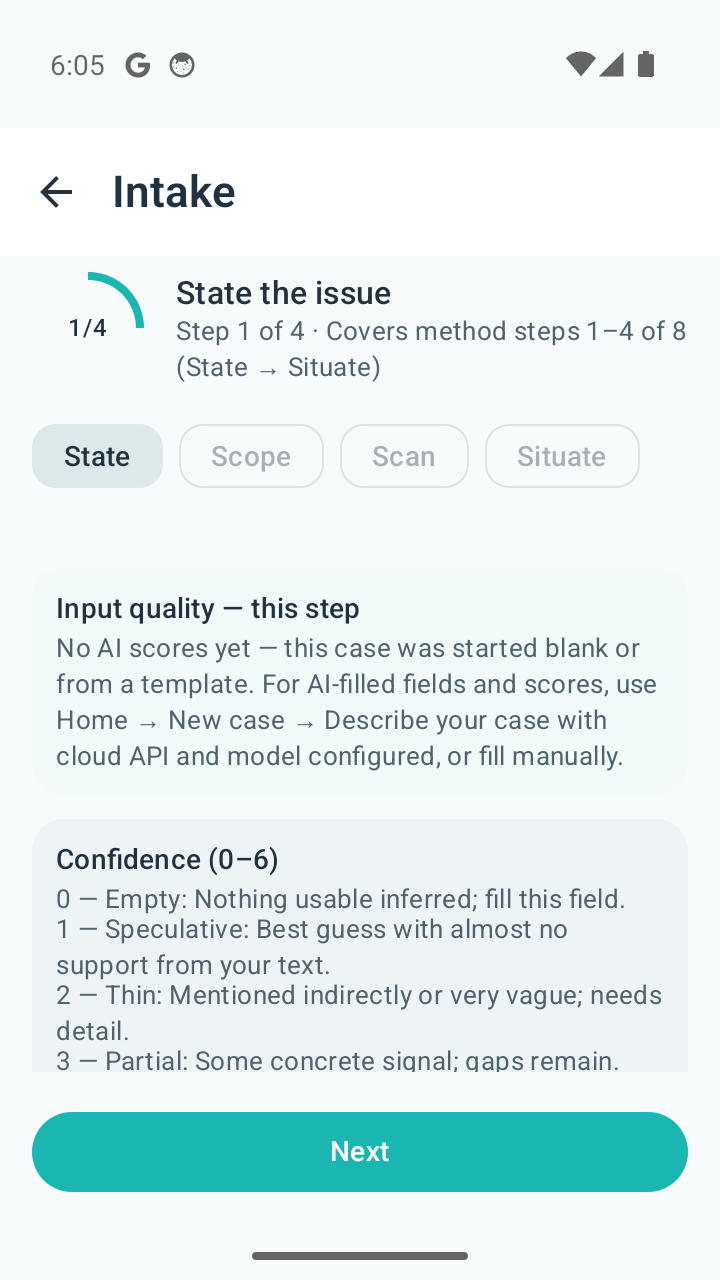
Structure the situation
Structured intake before analysis—constraints, stakeholders, knowns and gaps.
Stage 3
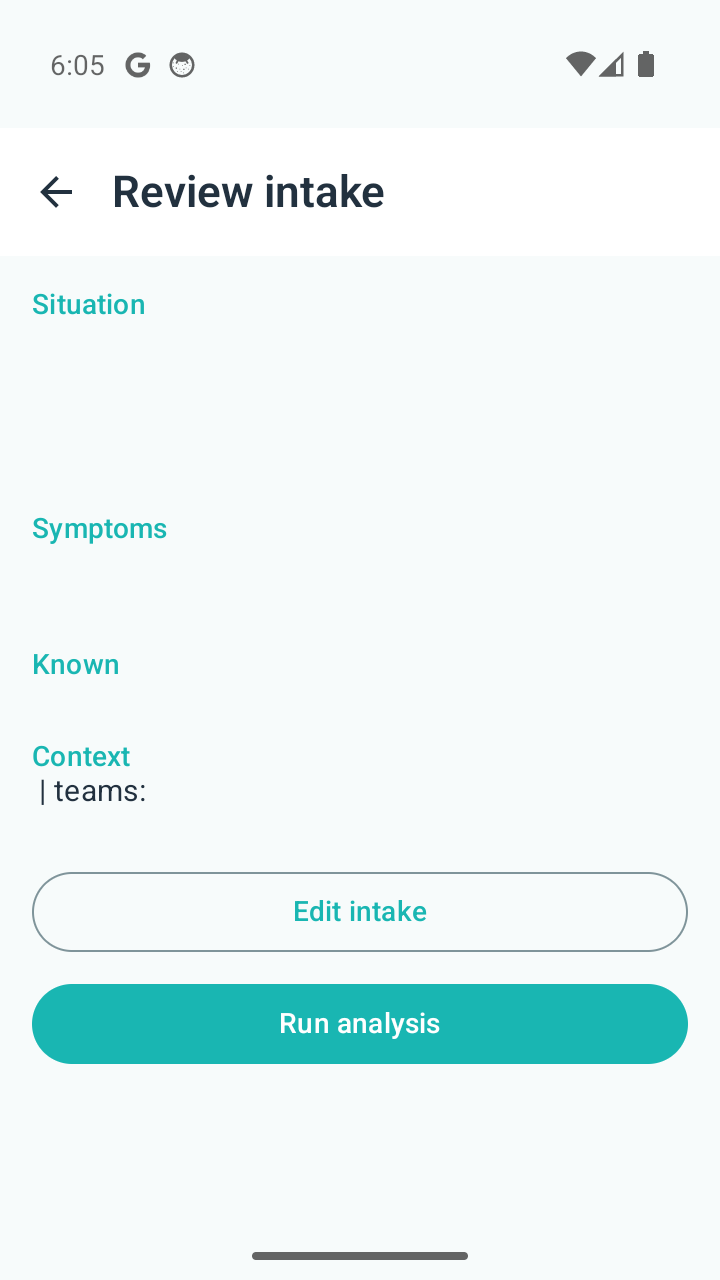
Review before analysis, then run
Confirm what will be analyzed, then run deliberately—not a one-line guess under pressure.
Stage 4
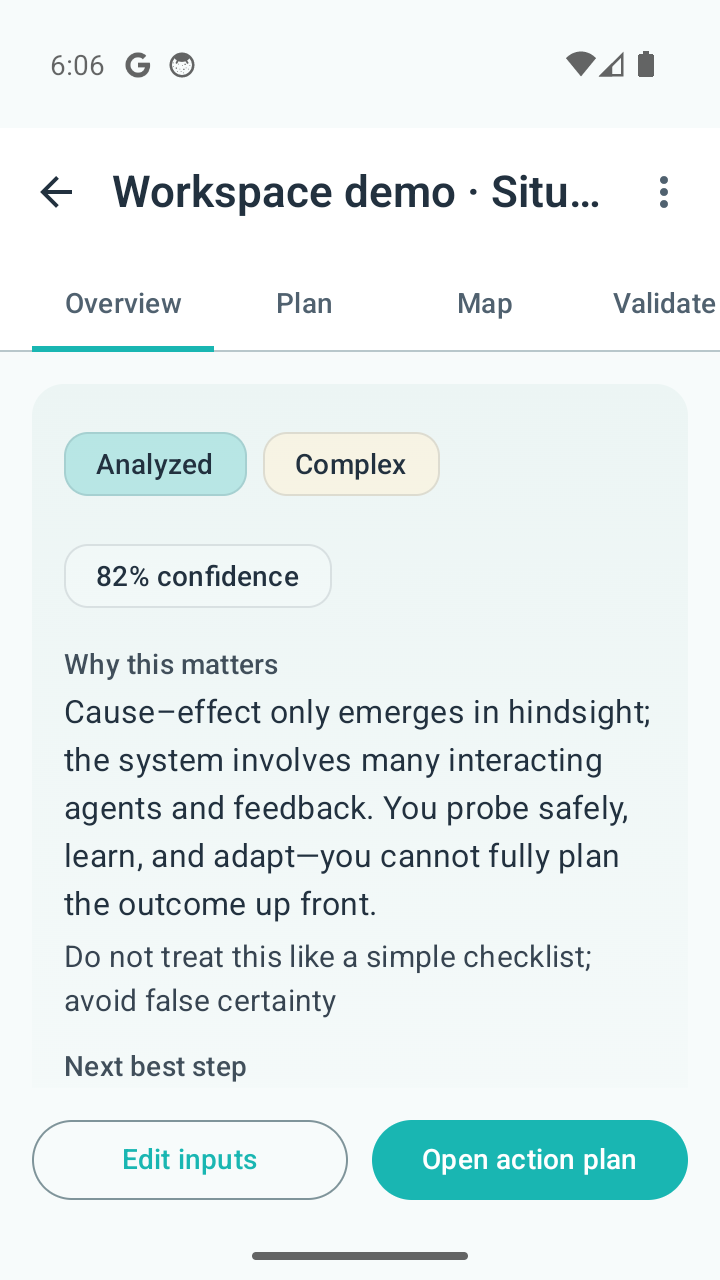
Revisit when reality changes
Return to the same case when facts shift; preserve rationale and continuity.
Why not just shared chat, shared AI projects, or your enterprise AI suite?
Shared chat and shared AI projects optimize for conversation and content. Enterprise AI suites optimize for breadth—company-wide Q&A, drafting, and connectors. That breadth is by design for those tools; it is still not the same job as a governed case record for one recurring situation. They do not, by themselves, give you one held case for a single escalating situation—with explicit unknowns, review before analysis, and preserved rationale through reopenings.
Situ8 helps you govern how recurring cases are framed, reviewed, and carried forward—one situation at a time, with handoff continuity as the point—not replacing tickets, CRM, or ITSM.
One case vs. endless threads
Situ8 holds one case for one situation you work over time—not scrollback as the system of record.
Continuity when you come back
Reopen and update the same case—less rebuilding the narrative when facts shift, or when you brief someone else from your notes (in-app shared handoffs are roadmap).
Framing before analysis
Guided intake and review beat improvised prompts under pressure when the situation is messy.
Use your suite when breadth and generation are enough. Use Situ8 when the situation is not over after one answer—and the case has to survive the next review. Full comparison → · For teams →
Enterprise workflow examples
Examples describe the case pattern Situ8 is for—not a claim that every scenario is templated in-app today.
Tier-2 customer escalation
Stable case narrative across support, engineering, and account teams when the issue reopens.
Implementation exception
Explicit blockers, unknowns, and evidence before the steering committee.
Commercial / policy waiver
Preserved rationale when legal or finance reopens the thread.
Delivery review board
Same case record when the program slips or scope shifts mid-quarter.
Cross-functional risk or incident review
Framing and assumptions visible to the next owner after handoff.
Who it is for
Operations and process owners
Recurring exceptions, escalations, and review paths where inconsistent handling is expensive—For enterprise is the full posture.
Contact to discuss a named workflow.
Leads and escalation groups
Cross-functional blockers, customer or partner issues that reopen—frame ownership and evidence before the next sync.
Situ8 Team (roadmap) — shared cases; solo app today.
Individual professionals
Ambiguous mandates, recurring tensions, evolving facts—name constraints and owners before you act.
Start with one workflow
Pick one pattern that is too costly to manage across chat, tickets, and decks alone. Contact to map a named workflow to the product direction—solo app today, team and enterprise path on the roadmap.
Trust and control
- You stay responsible for judgment. Situ8 structures and pressure-tests your case; it does not decide for you.
- AI outputs can be wrong or incomplete. Treat them as material to pressure-test, not authority.
- Not for emergency, medical, legal, or safety-critical decisions that require licensed expertise—use appropriate help when stakes demand it.
Where the product is headed
A short orientation—not the full plan. Details live on **[Features](features.html)** and **[Roadmap](roadmap.html)**. Situ8 is **not** a horizontal AI platform or a company knowledge hub; it is **narrow governed case handling** for work situations that keep reopening.Today
Solo on Android: saved cases, guided intake, review, analysis, templates and prompts—with provider settings you control.
Next
Role-based packs and richer guidance—still solo until shared team case surfaces ship.
Later
Shared case handling (Situ8 Team) and enterprise-style controls are roadmap directions—not what you buy off this site today.
See how case handling worksDiscuss a named workflow pilot
Get the app on Google Play — when the Play listing is live in your region.