
Overview
ChatGPT and Gemini are strong for quick answers and one-off questions. Shared ChatGPT projects and Gemini Gems help with shared AI context; org-wide assistants (e.g. enterprise suite rollouts) add breadth. Those tools still optimize for conversation and general access, not one held case over time. Situ8 is a phone workflow for one evolving case (solo today): you keep one case per situation, structure it with guided intake, review what will be analyzed, then read structured results you can pressure-test—your judgment stays primary. Situ8 Team (shared cases) is roadmap—For teams. Buyer posture vs broad suites: For enterprise.
This page walks through what you actually do in the app, then shows how that maps to the deeper eight-step method for readers who want the full model.
The product loop
Four stages repeat as things change—you are not forced through a waterfall once.
Step 1 — Start a case (hold the situation)
What you are doing: Naming and keeping one professional situation in one place instead of scattering it across one-off chat threads and notes.
What the app supports: A case with a title and narrative thread; saved case memory so you can pause and continue later.
Why it matters: You do not have to reconstruct context every time the situation resurfaces.
Step 2 — Structure the situation (guided intake)
What you are doing: Turning a messy story into explicit inputs before any model runs.
What the app supports: Guided intake (scope, urgency, stakeholders, facts, gaps, what you tried—aligned to how your situation is framed).
Why it matters: You frame the situation before you chase answers—reducing jump-to-solution prompting under pressure.
Step 3 — Review before analysis, then run
What you are doing: Checking what will be sent, then running analysis when you are ready.
What the app supports: A review step before analysis; structured results in a workspace; prompts and follow-ups for the next pass of thinking.
Why it matters: Situ8 gives you material to pressure-test—not a verdict you are meant to follow blindly.
Step 4 — Revisit when reality changes (use the case over time)
What you are doing: Treating the situation as ongoing—new facts, new constraints, new meetings.
What the app supports: Reopen the case, revise context, run analysis again; optional outcome reflection saved on the case when useful.
Why it matters: The same case carries continuity—better next moves over days or weeks, not a single disposable reply.
What you see in the app
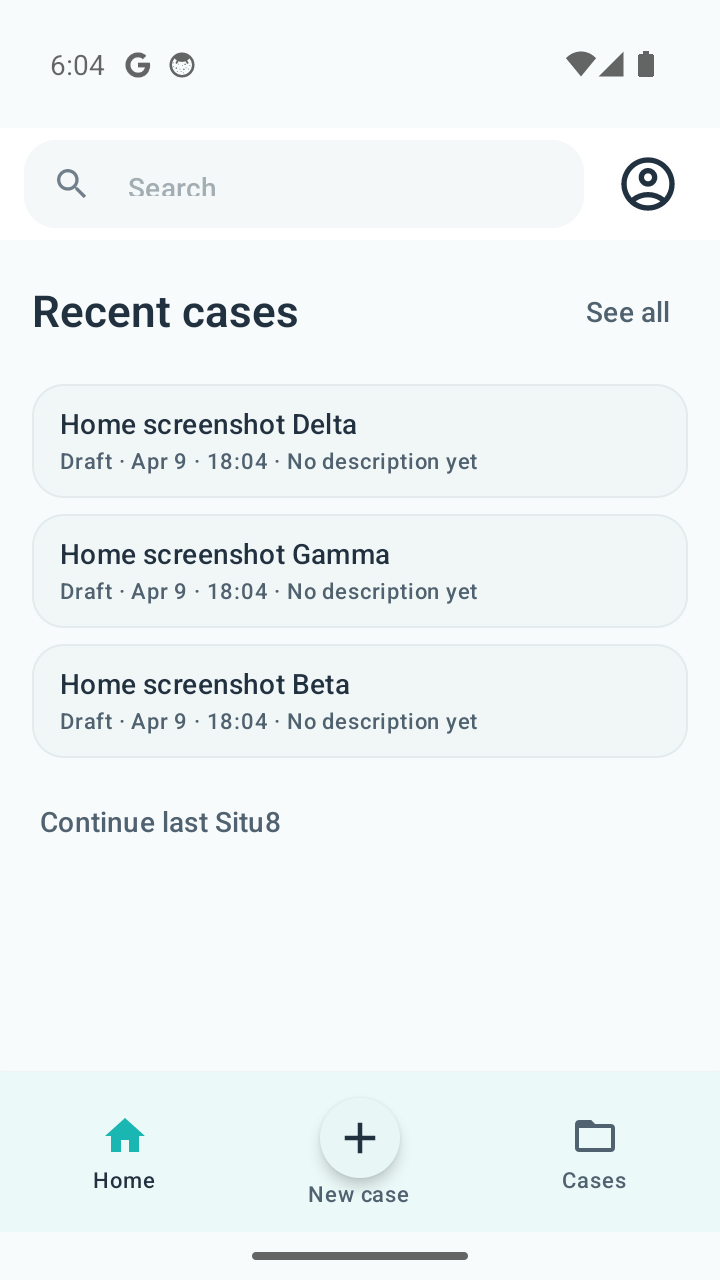
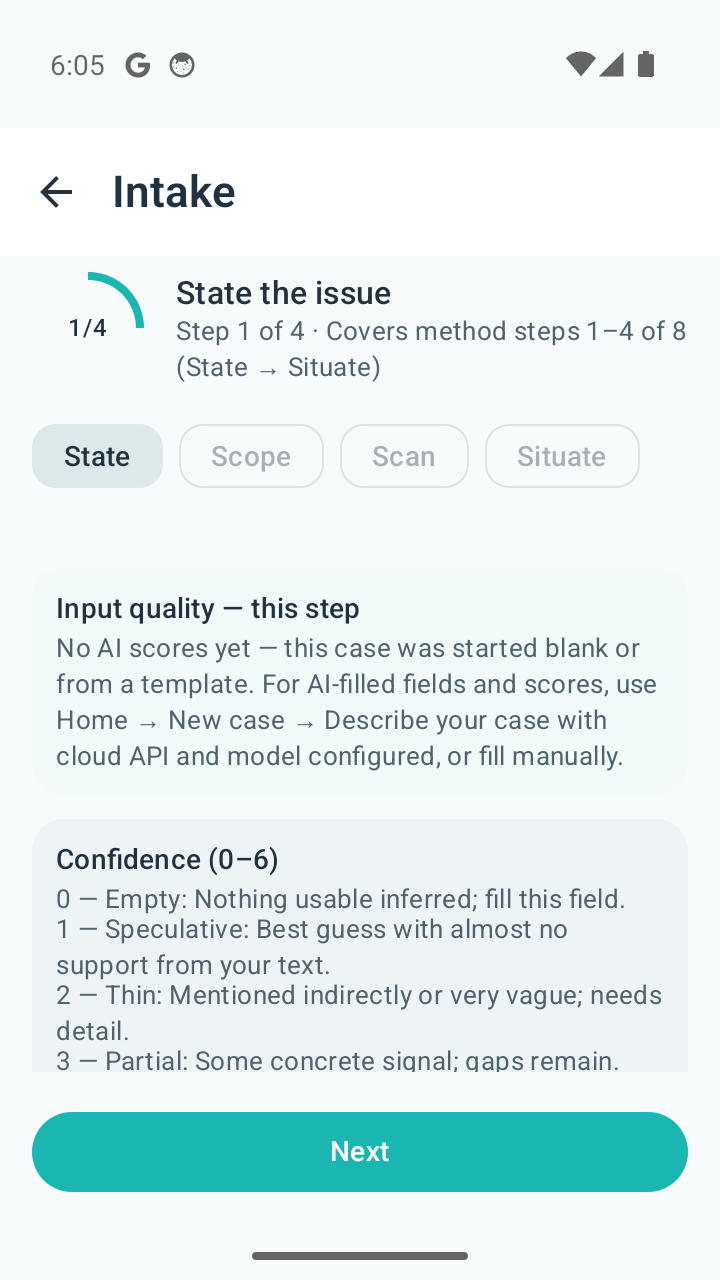
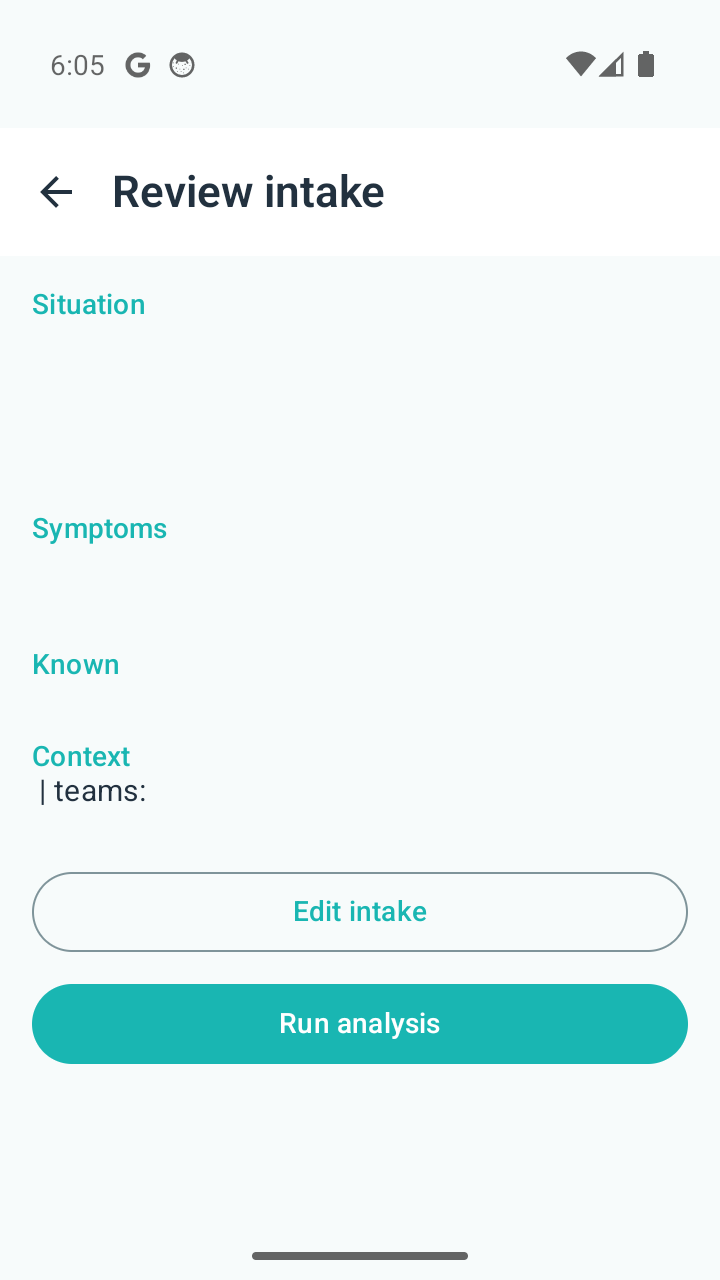
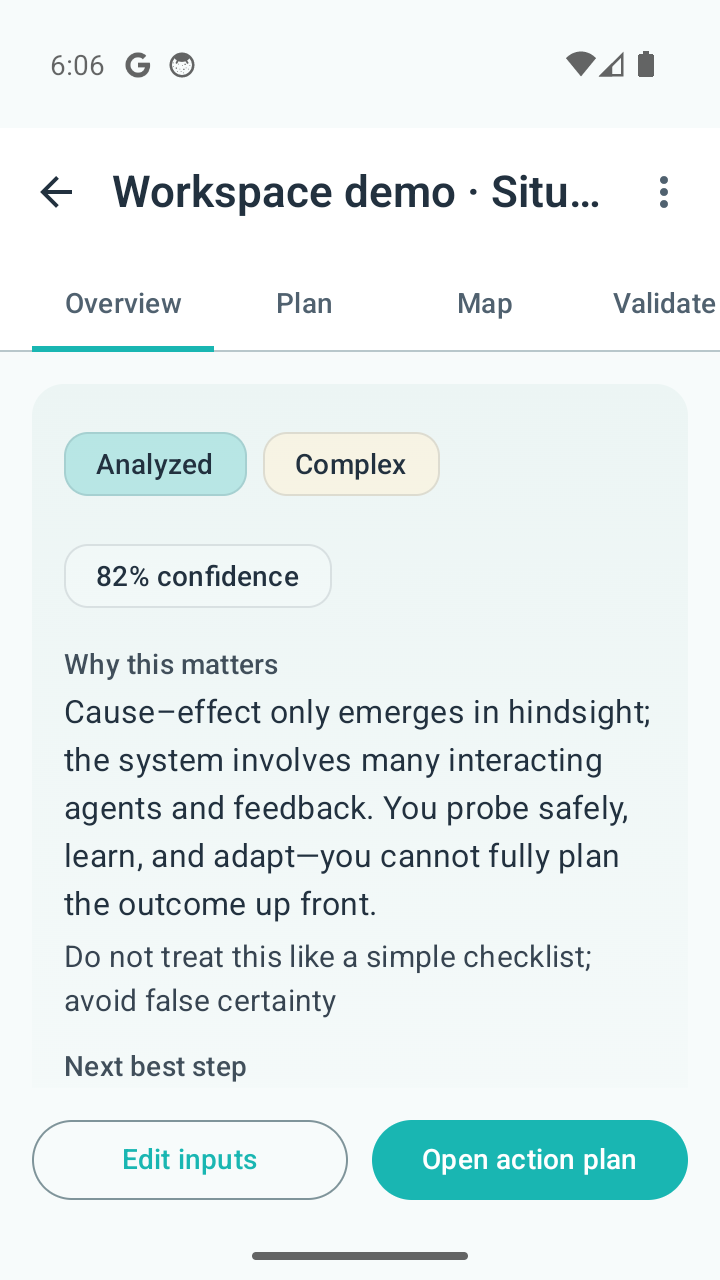
Case list, structured intake, review, and results stay attached to one situation in the shipped Android app.
What happens in the app today
Concrete, user-visible behavior on Android—not internal architecture.
Cases and saved work
You see a case list, open a case, and return to the same thread—narrative and state stay attached to that situation.
Intake and review
Screens walk you through structured fields, then you confirm what will be analyzed—so “run” is deliberate.
Analysis workspace
Results land in a workspace tied to the case—read, copy, and follow up without pretending the model “finished” thinking for you.
Outcome reflection
Optional reflection on what you tried and what happened next—stored on the case for your own loop, not a substitute for reporting channels when something goes wrong.
Sign-in and providers: Contact · Privacy.
Why not ChatGPT, Gemini, or your org-wide assistant?
ChatGPT and Gemini are excellent for quick answers and back-and-forth. Enterprise AI suites are strong when broad access and generation are the goal. Situ8 is for one case you reuse as the situation evolves—a governed case record, not a replacement for those layers.
Answers vs. cases
Chat-style tools optimize for the next reply. Situ8 holds state and history for one situation—less pasted context and thread churn.
Intake and review gate
Typical chat has no structured intake or confirm-before-run step—here you frame first, then analyze deliberately.
The case loop
Projects and files in general-purpose tools help organize work; they do not mirror this intake → review → structured-results loop tied to one case by themselves.
Use ChatGPT or Gemini when one answer is enough. Use Situ8 when the situation is messy, recurring, or still changing.
How the shipped workflow maps to the method
The eight-step Situ8 method (State through Study) is how we map professional case work in the product. The shipped app compresses that into the four-stage loop above so you can work it on a phone without memorizing framework labels first.
At a glance
| Product loop | Maps to method steps | In plain terms |
|---|---|---|
| Hold the case | State, Scope | Name the situation and bound it. |
| Ground the analysis | Scan, Situate | Pull signals and form a testable read of the situation. |
| Review and run | Shape, Select | Generate structured options and choose a next move you own. |
| Revisit and learn | Solve, Study | Act in the real world; capture learning when it helps. |
You may loop back as things change—that is normal troubleshooting, not failure.
Full eight-step reference
For readers who want the full breakdown (and deep links from other docs), the steps below match the same model. You do not need to memorize these labels to use the app—they describe what the case loop is doing.
| Step | Label | What you do | How the app supports it today |
|---|---|---|---|
| 1 — State | State the issue | Name what is happening and what decision is needed. | Case + narrative; title and short description. |
| 2 — Scope | Set the scope | Boundaries, stakeholders, urgency, cost of inaction. | Intake (impact, urgency, who is affected). |
| 3 — Scan | Scan the signals | Facts, evidence, assumptions, gaps. | Intake (known facts, what you tried, dependencies, missing info). |
| 4 — Situate | Situate the problem | Form a testable read of the situation (hypothesis, not a verdict). | Intake + structured analysis read. |
| 5 — Shape | Shape options | Response paths, tradeoffs, what to avoid. | Analysis results—options you stress-test. |
| 6 — Select | Select the next move | Choose what to trust and do next. | You decide; outputs advise. |
| 7 — Solve | Solve or stabilize | Execute, contain risk, watch signals. | Structured outputs you take into the real world. |
| 8 — Study | Study the outcome | Retro, learning, what to repeat or change. | Outcome reflection on the case; reopen when needed. |